# A condition builder for weather-triggered ads
> A weather condition builder that let marketers compose AccuWeather + geofence triggers themselves — no SQL, no engineer in the loop.
- Author: Alejandro Haydar
- Published: 2018-08-15
- Category: Product Design
- Canonical: https://alejandroastroport.netlify.app/showcases/swirl-weather-geotargeting/
---
Beacons fired what they fired. Geofences caught shoppers near the store. The missing axis was the one nobody owns and everyone watches: the weather.
AccuWeather had the data. Plugging it into a Swirl campaign meant filing a ticket and waiting on an engineer. Marketers couldn't compose a rule like *"Atlanta stores, when pollen count is high"* on their own. That was the whole gap.
### The setup
The brief was small: let marketers add weather as a targeting layer. The implementation was where it got interesting. "Weather" isn't a state — it's a feed of forecasts, current conditions, and a dozen overlapping variables (temperature, precipitation, wind, UV, pollen, sky condition, snow). Most ad platforms at the time picked a fixed set of buckets — "Sunny / Rainy / Cold" — and shipped a dropdown. That worked until a marketer asked for *"above 75° AND sunny OR cloudy"* — at which point they were back to a ticket.
I didn't want a dropdown. I wanted a small builder.
### The decision
Three knobs, composable in any combination:
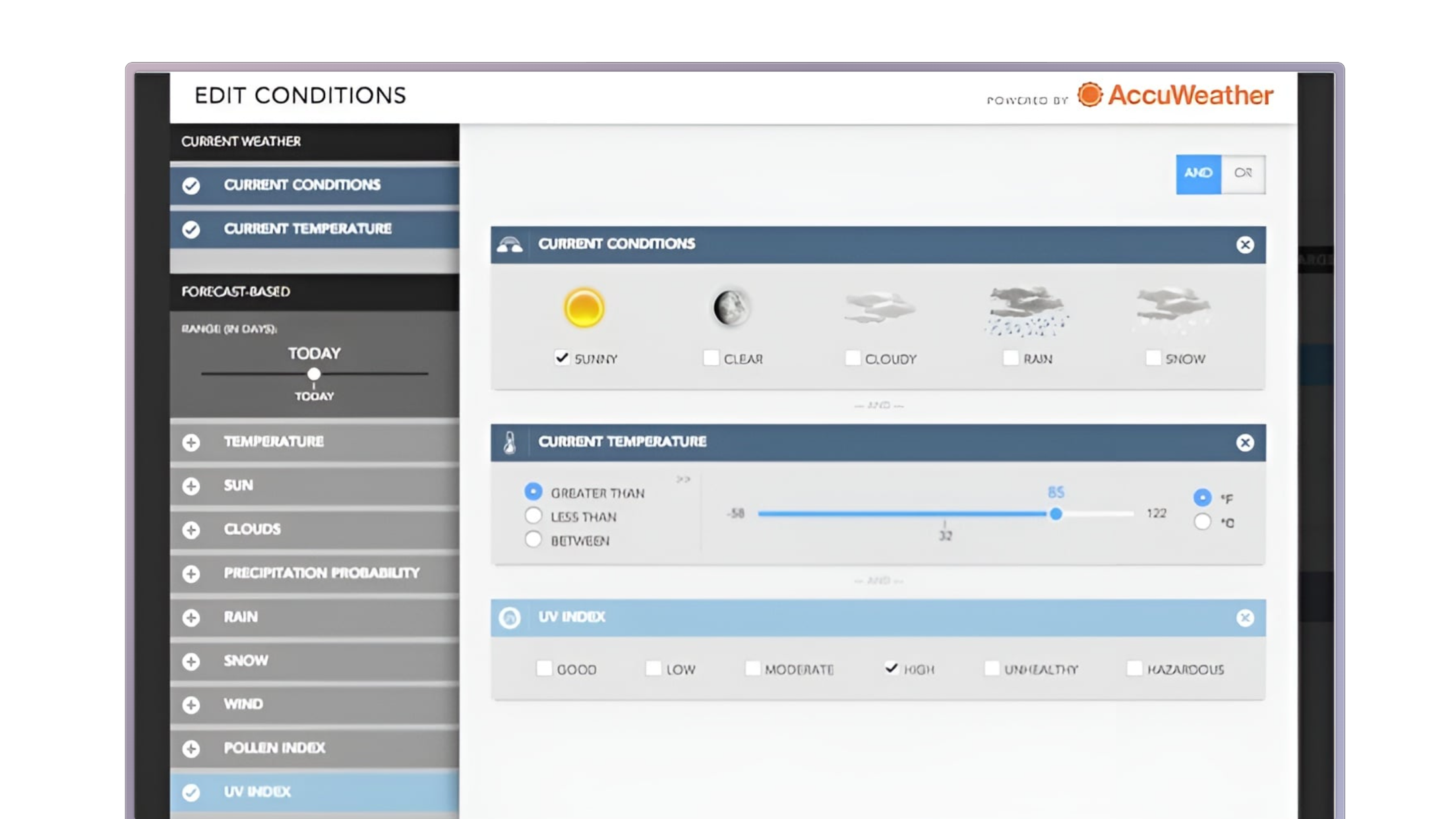
1. **A day-range slider, ±5 days from today.** Drag left to anchor against past conditions, drag right to plan against forecasts up to five days out. The marketer sets the horizon visually instead of reading documentation.
2. **AND / OR concatenation.** A toggle in the upper-right of the rule canvas, applied to whatever conditions the marketer stacked underneath. One control. Real expressiveness.
3. **Stackable AccuWeather conditions.** Temperature, precipitation, wind, UV index, pollen count, sky state — each one a dropdown card with a comparison operator and a value.
The trade-off was real: a builder *is* a small query language. The risk was that a marketing team would look at it and bounce. The mitigations were visual — sliders instead of date pickers, AND/OR as a single big toggle, conditions as cards you stack instead of clauses you write. The vocabulary was AccuWeather's, not engineering's.
Condition Builder. The left panel is the menu of AccuWeather data layers; the right builds up the rule — sky state, temperature range, UV index, or any combination. AND/OR in the corner is the only control the marketer needs to make it compound.
### What shipped
The builder fed the platform's existing campaign trigger system, which meant any rule a marketer composed got delivered through three surfaces already in production: the retailer's own mobile app, the **AccuWeather app** (Swirl ran inventory there directly), and **Google Nearby** — Google's beacon-triggered notification service on Android. One rule, three places it could fire.
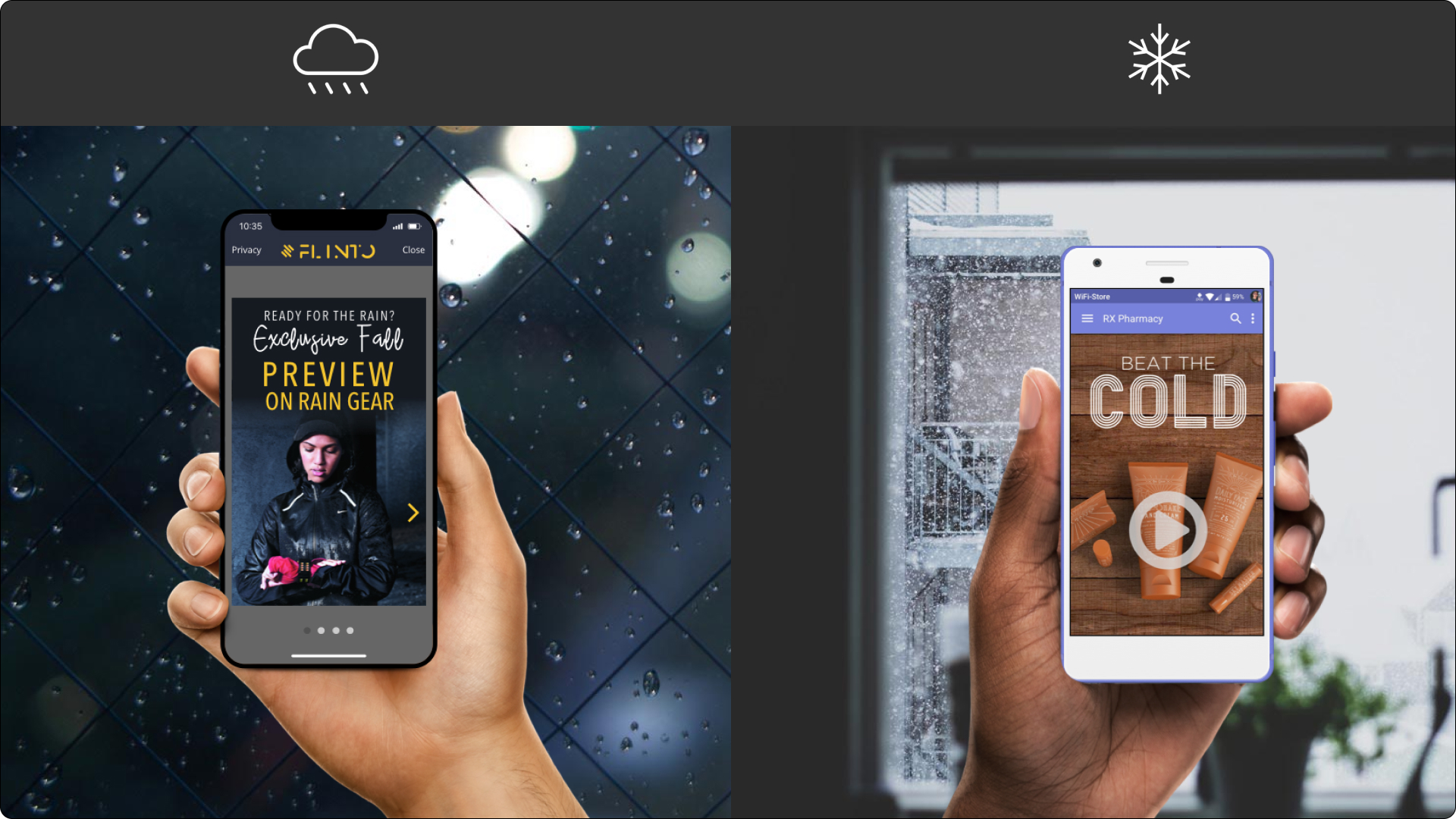
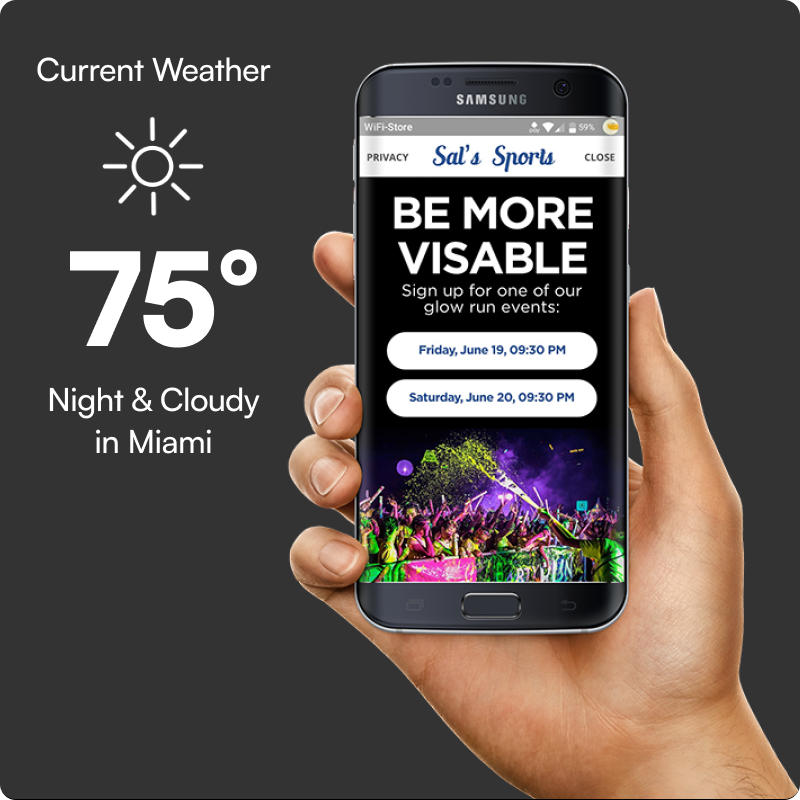
Precipitation and cold snap. Two rules, two creatives. The fall rain-gear preview fired on precipitation in the next 48 hours; the pharmacy creative fired when temperature dropped below 40°F.Pollen as a trigger. Atlanta stores. Rule: Pollen count above threshold. A marketer composed it in about ninety seconds — the kind of campaign that previously required a meeting and a developer.Hot and sunny. Boston. Rule: Sunny OR Cloudy AND Temperature > 75°F. The AND/OR was the difference between a campaign that fired three days a summer and one that fired most days.Night + cloudy. Miami. Rule: Night AND Cloudy. A sports retailer signed glow-run participants on the exact evenings the conditions felt right for it — a targeting shape no dropdown could have expressed.
### What I'd take with me
The lesson wasn't about weather. It was about **giving non-technical users a real composition surface** without making it feel like a developer tool. Three knobs is small enough to learn in a sitting. AND/OR is the smallest concession to expressiveness you can make. AccuWeather's vocabulary did the rest of the work — marketers already think in *pollen counts* and *heat waves*, so the builder didn't ask them to learn a new language.
The campaigns that came out of it were the ones that didn't need an engineer to ship. That was the whole point.